
Expense Category
The page is designed to organize and track different types of business expenses. It allows you to categorize expenses for better financial management and reporting.
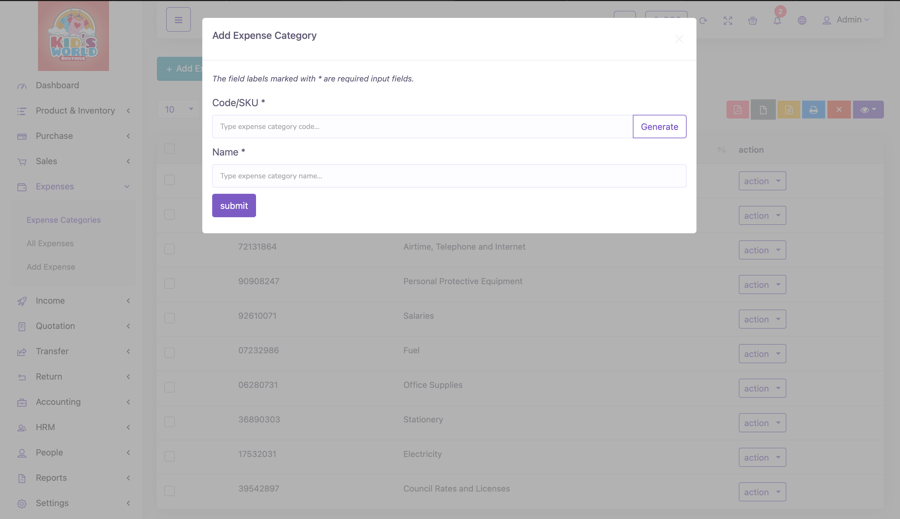
Key components of the page include:
- Category List: Displays all created expense categories (e.g., rent, utilities, office supplies).
- Create New Category: Add new categories by assigning a name and generating unique code.
- Edit or Delete Categories: Modify existing categories or remove unused ones.
- Search: Search for specific categories by name.
- Export Data: Export category data for reporting and analysis of full list.
All Expenses
This is where you track and manage some financial outflows of your business. It serves as a centralized hub for recording, reviewing, and analyzing custom expenses, helping you maintain financial control.
Key components of the Expenses page include:
- Expense List: Displays all recorded expenses with details such as date, category, amount, and payment method.
- Filter and Search: Filter expenses by warehouse, date or search by certain keywords
- Expense Status: Track whether expenses are paid, pending, or overdue.
- Export Data: Export all expense data for reporting and analysis.
You can customize the number of columns that can be visible on this column by clicking the last dropdown option.
How to add an Expense?
- Select the date when the expense was incurred.
- Choose the appropriate category from the ones you added in the system.
- Select warehouse.
- Enter the expense amount.
- Select the account which made the payment.
- Leave additional remarks or instructions related to the expense.
- Select ‘Submit’ button.